 SDR--
SDR--Patch a radio together
Wire a receiver to a channel, and the channel to a speaker, a map or a recorder. SDR-- listens, decodes and records — on the computer at your desk, or on a server out at the antenna.
brew tap newspicel/tapbrew install --cask sdrminusminus
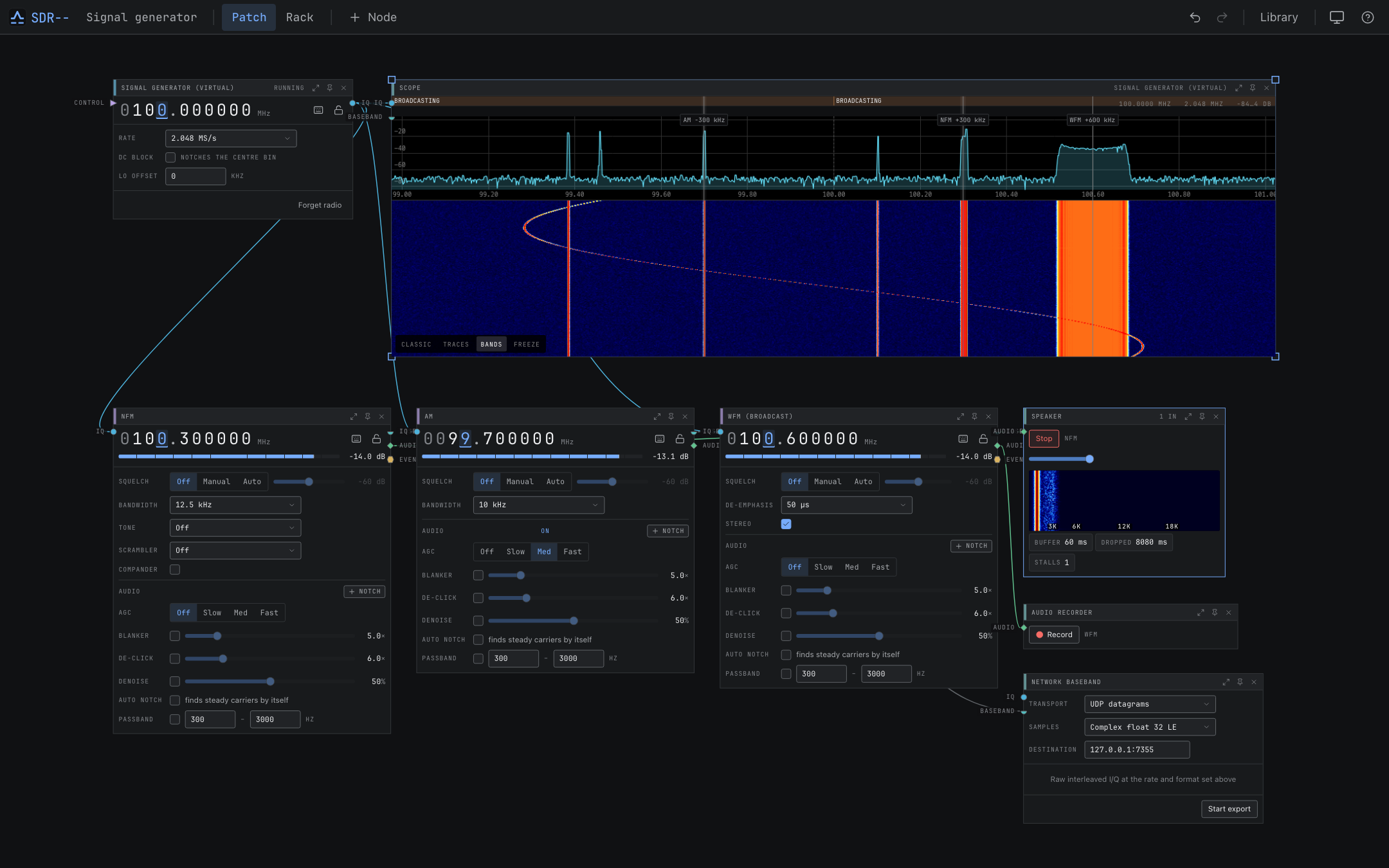
Every receiver is built like this. Nodes are radios, channels, displays and outputs; edges carry IQ, audio, events and video. Pin the controls you actually reach for to Rack view and the patch keeps running behind it.
Choose what the signal becomes
A channel takes IQ from a radio and gives back something you can use. Which output it produces is what makes one channel different from another.
AudioVoice and music
AM, NFM, SSB and CW, broadcast FM in stereo with RDS, and digital voice: DMR, FreeDV, D-STAR, System Fusion, NXDN, P25 Phase 1, dPMR and M17.
EventsMessages and positions
Aircraft over ADS-B, ACARS, VDL Mode 2 and HFDL. Ships over AIS, NAVTEX and DSC. Pagers over POCSAG, FLEX and ERMES. Amateur data — FT8, FT4, WSPR, APRS, RTTY, PSK and CW. ISM sensors and radio clocks.
VideoPictures
Slow-scan television, amateur television, and DVB-S / S2 digital television.
IQSamples to keep
Record the radio, a channel's baseband or its audio, and replay it later. SigMF in and out, and live IQ to another program over the network.
See the band
Spectrum, waterfall, constellation and map displays, with the decoded messages beside them.
Find the signal
Scanning, signal identification, coherent arrays, direction finding and passive radar.
Drive it from elsewhere
REST, WebSocket, MCP, network IQ export and event forwarding to your own tools.
Modes range from tested on air to experimental. The channel catalog says which is which, mode by mode.
What it looks like
Two views over one running receiver: build it in Patch, operate it in Rack.
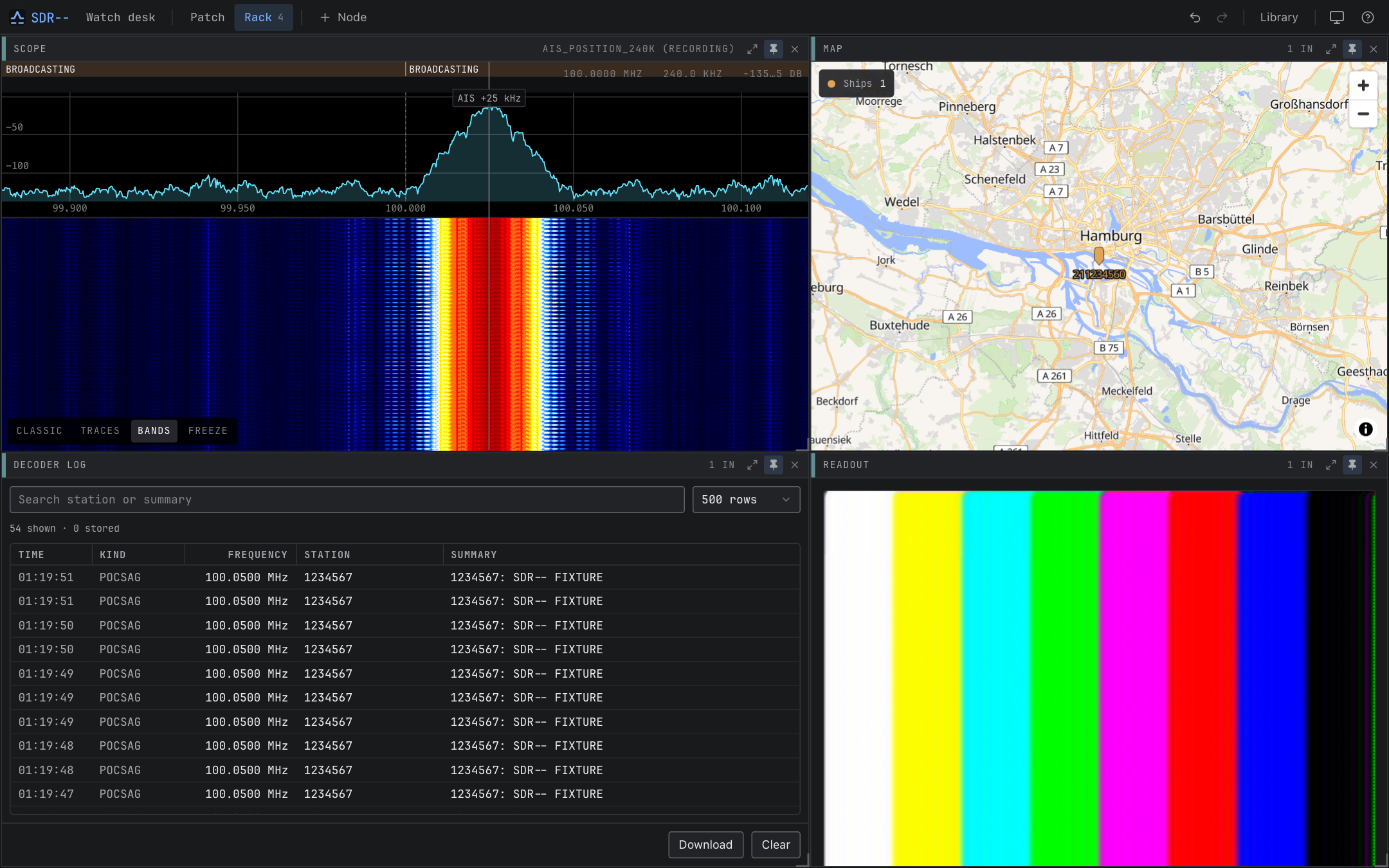
p on a node to pin its face here. The canvas
stays where it is; the rack is the version you hand to someone who just wants to
listen.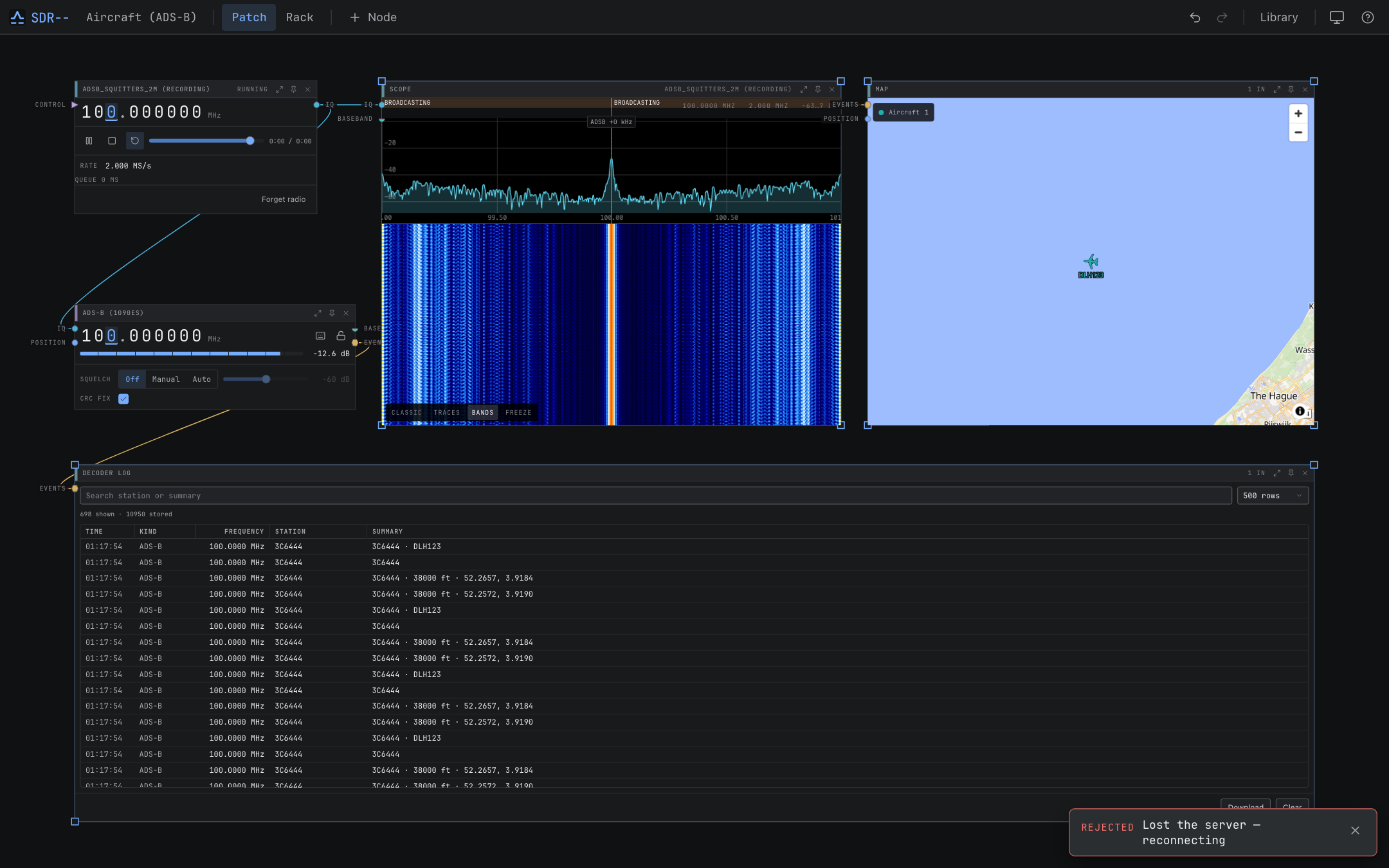
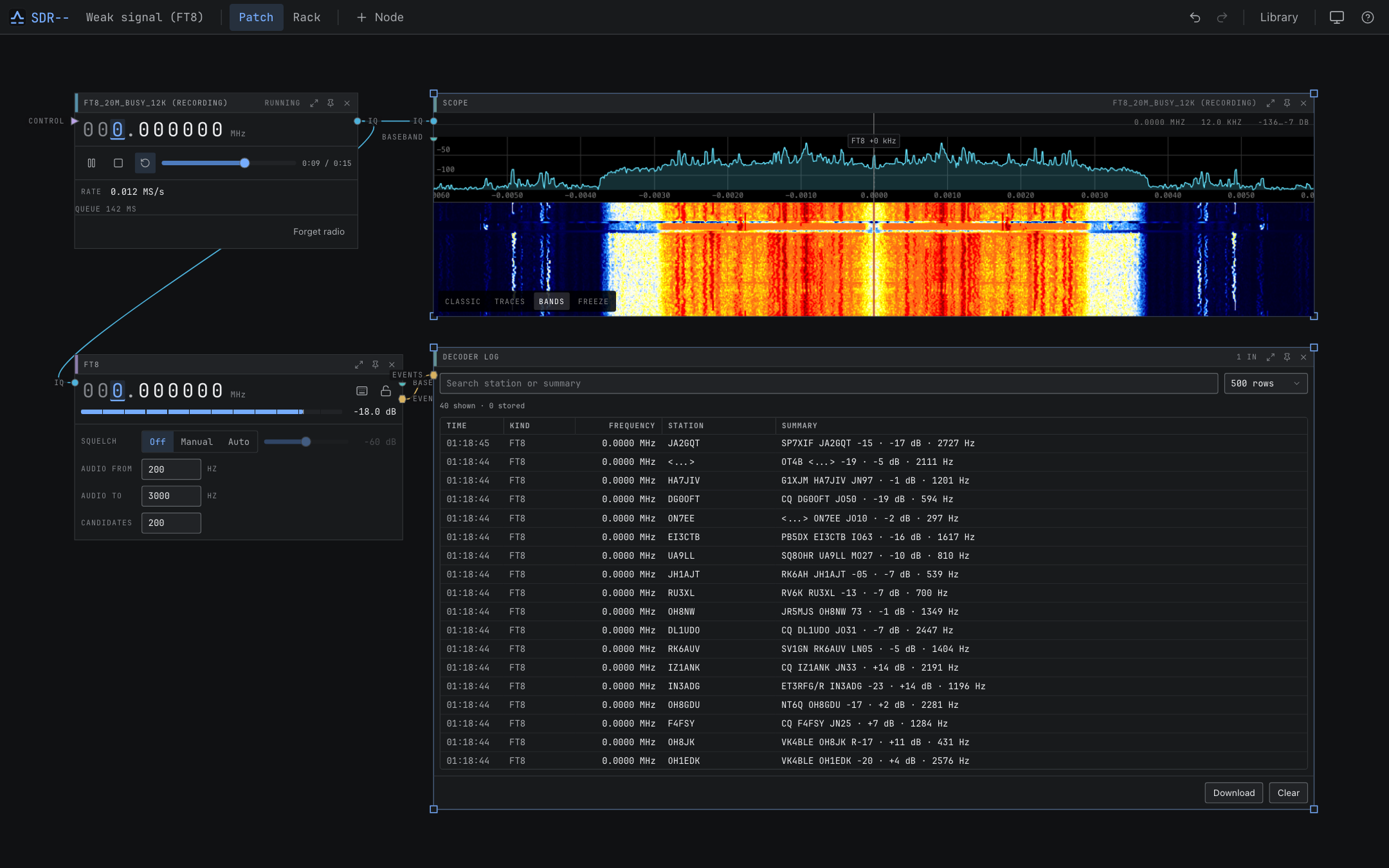
These captures use debug-build signal sources and the repository's IQ fixtures, so they reproduce without a radio attached.
Install it
The desktop app runs its own server on a private port. The standalone server does the same job on a machine you keep near the antenna, and any browser on your network drives it.
Homebrew
The cask installs the app; the formula installs the headless server.
brew tap newspicel/tap
brew install --cask sdrminusminus

or, for a server
brew install sdrmm
brew services start sdrmm
Container
Persists its database and recordings in a volume. Pass through the USB group that owns your radio.
git clone https://github.com/Newspicel/sdrminusminus.git
cd sdrminusminus
docker compose up -d
Then open http://localhost:8080, select your radio on a
Device node, and tune. The server listens on every interface without authentication by
default — set a token and HTTPS before you put it on
an untrusted network.
Still being built
SDR-- is under active development, and the docs say plainly what is tested on air, what is only tested against fixtures, and what is experimental. Bug reports and decoder fixtures are both welcome.